
Manage your plan status more efficiently and accurately.
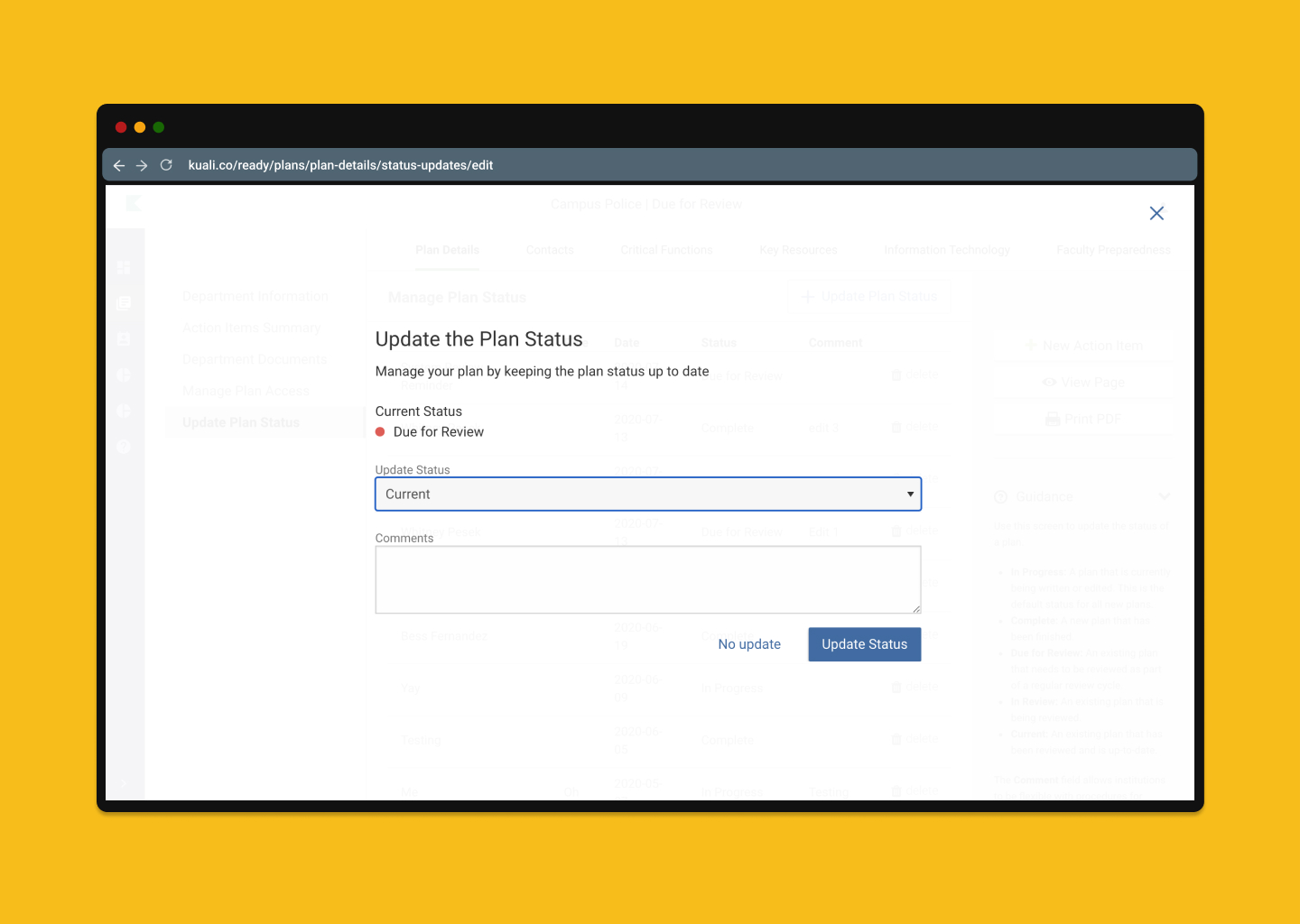
Updating your plans status now has a new fresh look and added functionality. You no longer have to enter the date or user updating the status. The updated plan status modal automatically logs that information for you. You also have the ability to not change the status and just add comments and updates to the currently selected status to keep your plan up to date and log the progress of your plan.
Previously collected plan status updates will not change or be lost by enabling this feature. You'll just get a little added bonus to help you manage your plans a little more effectively!
How to enable or disable Sidebar in Plan Building:
- Navigate to your Admin section.
- In the Administration menu, select Enabled Features.
- Under “Update Status Modal” select in the dropdown who you want to enable this feature for.
- Save your changes.
- Navigate to a Plans Details.
- Go to the “Update Plan Status” section and click on the “+ Update Status” button to see the new improvements.
This feature is available only to admins by enabling, but will be enabled to all Users on August 10th.
Keep in mind, that if you haven't updated your Admin list, this change will be viewable for all assigned admins and power users at your institution.
Please send questions or comments to: ready-support@kuali.co
Comments
0 comments
Article is closed for comments.