
We’ve added a new item to Ready's Reports!
This addition to Reports will now allow you to report on all central customer applications added into a plan. You will have a list of custom applications, the plans they are associated to, as well as the level of criticality.
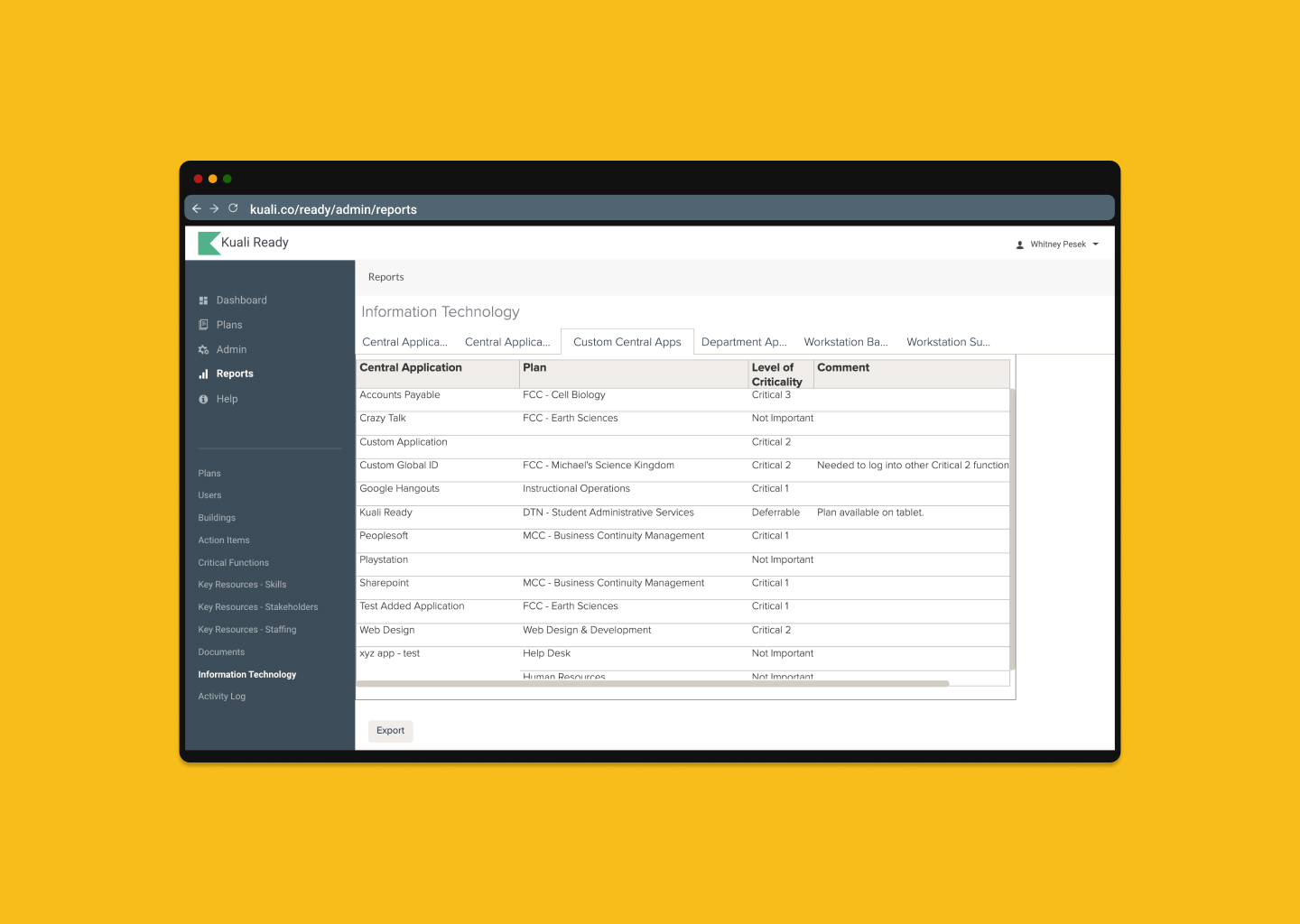
Steps to locate Report
- Navigate to your Reports section.
- In the Reports menu, select Information Technology.
- Select Custom Central Apps tab to view new report
This report is viewable to all admins and power users.
Keep in mind, that if you haven't updated your Admin list, this change will be viewable for all assigned admins and power users at your institution.
Please send questions or comments to: ready-support@kuali.co
Comments
0 comments
Please sign in to leave a comment.