
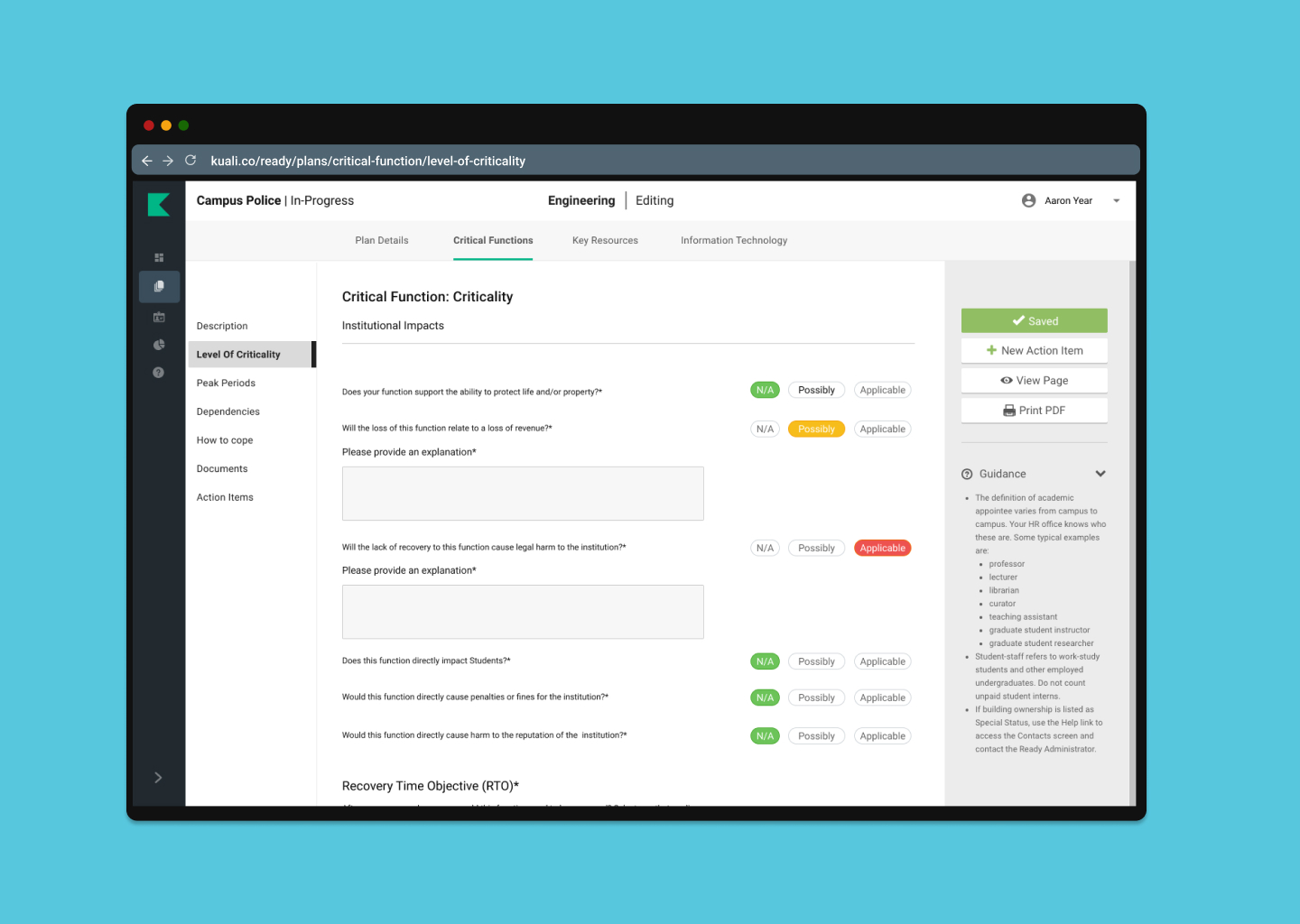
Now you can take a standardized approach to determining which Critical functions have highest priority during a recovery. Ready's new addition to the Critical Functions Section allows you to ask a series of questions to determine how important it ranks in a recovery strategy. This will also allow you to easily decide which departments are the most vital based on how many level 1 criticality's it holds.
What is an impact analysis on a Critical Function?
When determining a Critical Functions criticality or impact to your institution or to that specific department there are a series of things that need to be considered. This addition of an Impact Analysis to each Critical Function will guide you through a series of impacts to consider that will help you determine the level of criticality for that function.
This impact analysis allows for continuity managers to easily assess a level of criticality and downstream users insights in what to consider when determining an appropriate level of criticality that can then be reviewed.
How to enable or disable sidebar in plan building:
- Navigate to your Admin section.
- In the Administration menu, select Enabled Features.
- Under “Level of Criticality” select in the dropdown who you want to enable this feature for.
- Save your changes.
- Navigate to a Plan’s Critical Functions.
- Complete new Level of Criticality addition.
Click on this video to explore the new critical function criticality!
What action is required once you have moved to this version?
Once enabled each of the critical functions within a plan will require the user to complete the level of criticality section. If you have previously determined a level of criticality this will still appear in the critical functions description but once you have completed the Level of criticality addition it will update to the suggested criticality or the level of criticality you have selected for that Critical Function.
Also, if you have previously configured your criticalities in the Admin configuration set up they will appear in the new level of criticality section. They will not be overwritten.
How does it affect current plans?
Having a documented level of criticality gives more visibility to what was considered to determine the criticality. It also standardizes the way an institution decides a criticality at the department level and critical function level.
This feature is available only to admins by enabling this version in the Admin Enable Features section.
Keep in mind, that if you haven't updated your Admin list, this change will be viewable for all assigned admins at your institution. Please note Power Users cannot use this function unless it is enabled for the entire institution or by contacting Kuali support for an override.
Please send questions or comments to: ready-support@kuali.co
Comments
0 comments
Please sign in to leave a comment.