
New collapsible sidebar in all of Plan Building.
You no longer have to go back to the dashboard to access other sections in Ready. Just navigate by using the left sidebar navigation to get anywhere with just a click!
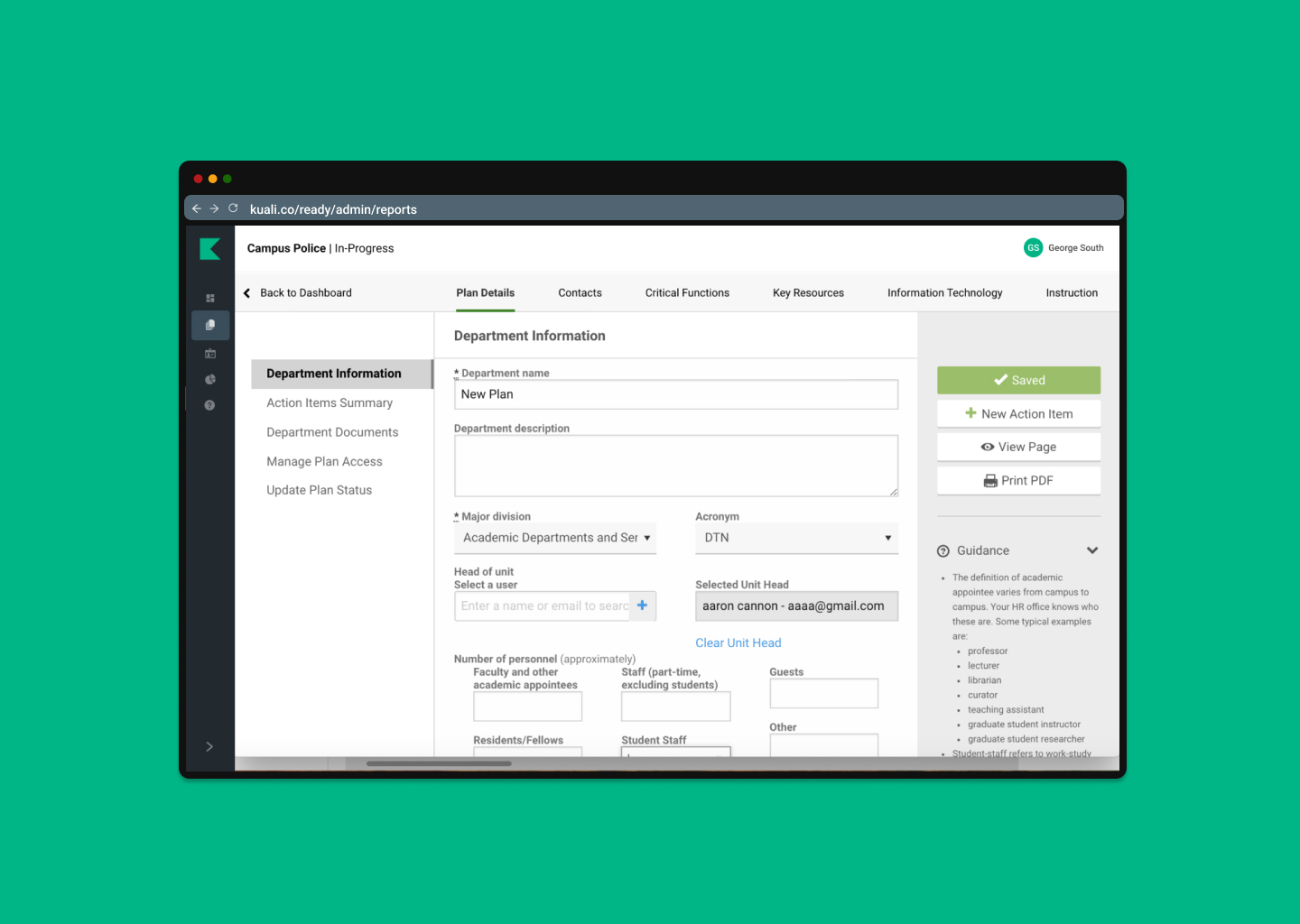
How to enable or disable Sidebar in Plan Building:
- Navigate to your Admin section.
- In the Administration menu, select Enabled Features.
- Under “New Sidebar” select in the dropdown who you want to enable this feature for.
- Save your changes.
- Navigate to a Plan.
- View the new sidebar addition.
This feature is available only to admins by enabling, but will be enabled to all Users on June 15th.
Keep in mind, that if you haven't updated your Admin list, this change will be viewable for all assigned admins and power users at your institution.
Please send questions or comments to: ready-support@kuali.co
Comments
0 comments
Please sign in to leave a comment.